AI-powered, Human-reviewed.



What Is Trial Duration?
Trial duration is the set number of days a subscriber gets free or discounted access to a product before their first full charge. Once those days are up, billing starts automatically, unless the customer cancels first.
You’ll often see “trial period” and “trial duration” used interchangeably. They mean the same thing. Some platforms call it a “free trial window” or “introductory period,” but the mechanics are identical: a defined countdown before real billing begins.
Why does it matter? Three reasons:
- Conversion rates. A well-calibrated trial gives customers enough time to experience value, without giving so much time that urgency disappears.
- Subscriber quality. Customers who actively use your product during a trial are far more likely to stay past month one.
- Churn risk. A trial that’s too long can attract deal-hunters who never intended to pay. Too short, and customers cancel before they’ve seen what they’re paying for.
Common Trial Duration Options
Not every product suits the same trial length. Here’s a practical breakdown:
| Duration | Best For | Risk Level |
| 3 days | Simple apps, low-complexity digital products | Low risk, but tight for showing value |
| 7 days | SaaS tools, subscription boxes, physical goods with fast delivery | Balanced – the most common starting point |
| 14 days | Mid-complexity software, wellness subscriptions, curated boxes | Low risk, strong conversion window |
| 30 days | High-price plans, B2B tools, products with a learning curve | Higher churn risk if onboarding is weak |
| No trial | Commodity products, low-price plans, strong brand trust | No risk – but may reduce top-of-funnel signups |
Physical subscription boxes often do well with 7 days (enough time to receive a first shipment). SaaS and app-based products tend to need 14 days to let users form a habit. High-ticket plans above $99/month can justify 30 days because the purchase decision is bigger.
How to Choose the Right Trial Duration
Three factors should drive your decision:
1. Product complexity. The more setup or learning your product requires, the longer the trial needs to be. A customer who never reaches your core feature will never convert, regardless of how good the product is.
2. Price point. Higher monthly prices justify longer trials. A $9/month plan doesn’t need 30 days to justify itself. A $99/month plan does.
3. Activation time. Ask yourself: how long does it take a new user to experience the main value? That’s your minimum trial length. Build in a few extra days for life to get in the way.
The rule of thumb: the trial should be long enough to experience value and short enough to create urgency.
Data backs this up. A RevenueCat analysis of 10,000+ subscription apps found that trials of 4 days or fewer converted at a median rate of 30%, while trials of 5 days or more hit 44–45%. The jump happens because users simply need more than a few days to form a habit and see results.
That said, longer isn’t automatically better. The same data showed no meaningful conversion difference between 5-day and 30-day trials; the quality of the onboarding experience matters far more than the raw number of days.
How to Set Up a Free Trial on Shopify
Setting up a free trial subscription on Shopify requires a subscription app; Shopify’s native checkout doesn’t handle trial billing on its own. Here’s how to do it with Easy Subscriptions:
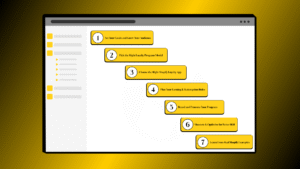
Step 1: Open the Easy Subscriptions dashboard. Go to your Shopify admin, then navigate to Apps > Easy Subscriptions.
Step 2: Select the product you want to add a trial to. From the dashboard, open the subscription plan linked to that product (or create a new one).
Step 3: Enable the trial period and set the duration. Toggle on the trial period option and enter the number of days for example, 7 or 14.
Step 4: Set the trial price. Choose between a fully free trial ($0) or a discounted introductory price (e.g., $1 for the first week). A paid trial reduces no-intent signups and tends to improve subscriber quality.
Step 5: Configure what happens when the trial ends. Decide whether the subscription auto-charges at the full price or cancels if the customer takes no action. Auto-charge is standard for most subscription models.

Once saved, the trial settings apply automatically at checkout. Customers see the trial terms before confirming their order.
Trial Duration vs Trial Period vs Introductory Offer
These terms get mixed up constantly. Here’s a clean comparison:
| Term | Meaning | Example |
| Trial Duration | The number of days in a free or discounted trial | 14-day free trial |
| Trial Period | The span of time covered by a trial (same as trial duration, different wording) | “Your trial period ends on July 3” |
| Introductory Offer | A discounted price for the first billing cycle(s) – not necessarily free | First month at 50% off |
| Freemium | A permanently free tier with limited features, no time limit | Free plan with basic features forever |
The key distinction: a trial duration has a hard end date and then flips to full price. An introductory offer is a discount on a real charge. Freemium has no clock running at all.