

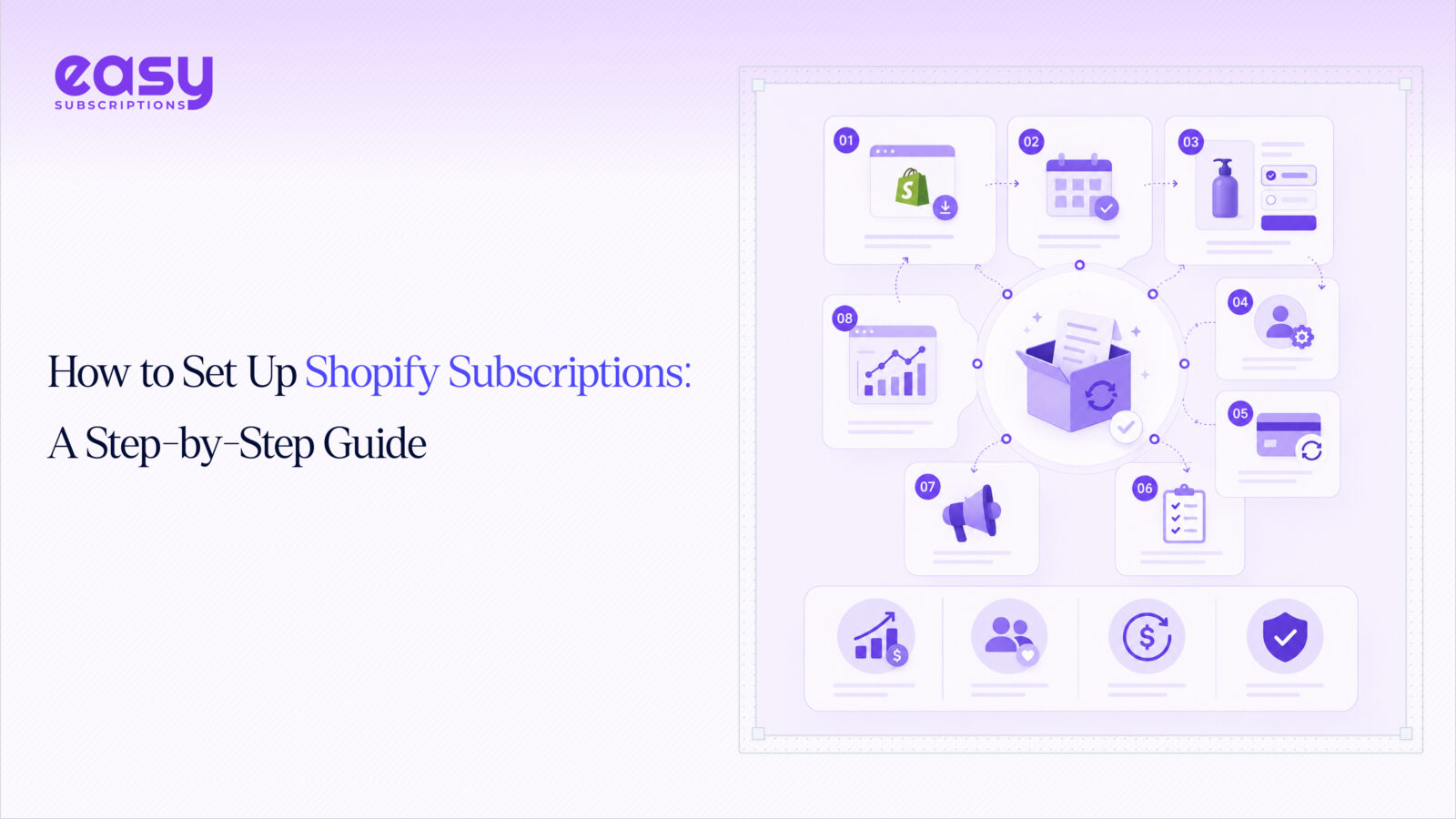


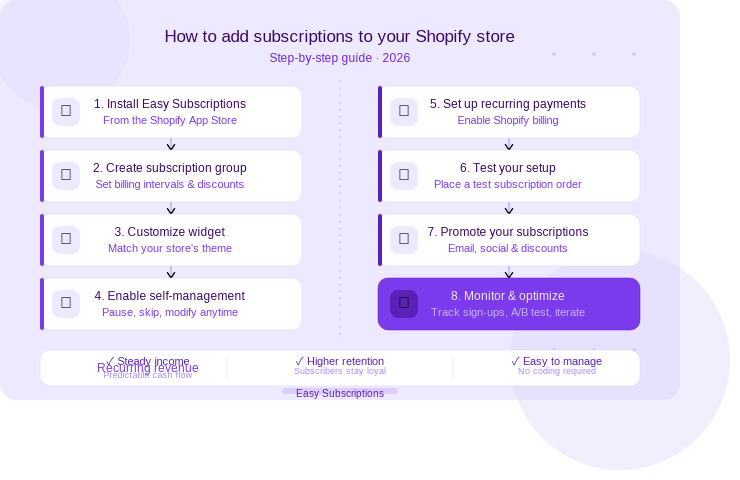
Setting up Shopify subscriptions means choosing the right products, creating subscription plans with a subscription app, and giving customers a simple way to manage their orders. This guide shows you how to set up subscription products on Shopify, create plans, configure recurring billing, enable customer self-service, reduce churn and grow predictable recurring revenue using Easy Subscriptions.
Quick Answer: To set up Shopify subscriptions, install a subscription app such as Easy Subscriptions, create a subscription group with your products, billing intervals and discount, add the subscription widget to your product page, enable the customer portal, configure recurring payments and dunning, test the full flow with a test order, then promote the plan and track MRR and churn.
Key takeaways
- Start with products customers already reorder, such as consumables.
- A subscription group holds your products, billing intervals and discounts.
- Enable the customer portal so subscribers can pause, skip and swap on their own.
- Set up automated payment retries so failed payments do not become cancellations.
- Test end to end before launch, then track MRR, churn and payment recovery.
Why Subscription Products Work on Shopify
Subscriptions are no longer a nice-to-have. For Shopify merchants selling consumables, replenishables or curated boxes, they are one of the most reliable paths to sustainable growth. Not sure the model is worth the setup effort? Here is what it can do for you.
- Predictable revenue: recurring billing converts one-time transactions into forecastable MRR. You know, within a margin, what next month looks like before it starts.
- Higher lifetime value: subscription customers often generate considerably more lifetime value than one-time buyers in categories such as beauty, supplements, pet food and grocery. Compare the two groups in your own data.
- Lower acquisition cost per order: when a subscriber auto-renews every 30 days, you are not paying to re-acquire them, so acquisition cost is spread over a longer revenue window.
- Stronger customer loyalty: subscribers interact with your brand every billing cycle, which builds habit, trust and brand recall.
Not sure which of your products are subscription-ready? A free Shopify subscription audit can identify the best candidates in your catalogue in under 60 seconds, with no login required.
Which Products Work Best as Shopify Subscriptions
Not every product belongs on a subscription. The fit depends on purchase frequency, consumption rate and whether the customer has a clear reason to reorder.
| Product category | Subscription fit | Why |
| Consumables (coffee, supplements, pet food, skincare) | High | Customers run out on a predictable cycle, so subscriptions remove the friction of reordering |
| Replenishables (cleaning supplies, razor blades, printer ink) | High | Utility-driven reorders are the easiest subscription sell, and subscribe and save framing converts well |
| Curated boxes (beauty, food, hobby kits) | Medium | Strong for discovery-driven shoppers, but retention depends on curation quality month over month |
| Digital access (templates, courses, software tools) | Medium | Low fulfilment cost and high margin, but churn rises if perceived value drops |
| One-time or seasonal items (furniture, gifts, seasonal decor) | Low | No natural replenishment cycle, so subscriptions feel forced and cancellation rates are high |
A note on curated boxes: if you want to offer a build-your-own subscription box, the Build-a-Box feature lets customers select their own products within a subscription, which can improve retention compared with fixed-curation boxes.
The strongest Shopify subscription service candidates in most stores are the products customers already reorder manually, so check your repeat-purchase data first. Not sure whether to offer subscriptions only or alongside one-time purchases? Read our glossary page subscription vs one-time purchase.
Before You Start: A Short Checklist
- Pick one to three products to launch with, based on repeat-purchase data.
- Decide your billing intervals (for example monthly and every two months).
- Work out your margin so you can set a safe subscriber discount.
- Confirm that your payment gateway supports recurring payments.
- Decide how you will tell existing customers about the new option.
Step-by-Step: How to Set Up Subscription Products on Shopify
This is the full setup flow. Each step is self-contained, so if you are mid-setup, jump to the step you need.
Step 1: Install Easy Subscriptions
Go to the Shopify App Store, search for Easy Subscriptions and click Add App. Grant the required permissions and complete the onboarding flow. The app’s subscription management dashboard is where you will handle everything from billing rules to analytics, so get familiar with the layout before moving on.
Step 2: Create a Subscription Group
Inside the app, navigate to Subscription Groups → Create New. Select the products you want to offer as a Shopify product subscription, set your billing intervals (weekly, bi-weekly, monthly or custom) and define any subscriber discount. Save and activate the group. One group can cover multiple products, which is useful for bundles or product lines with shared billing logic.
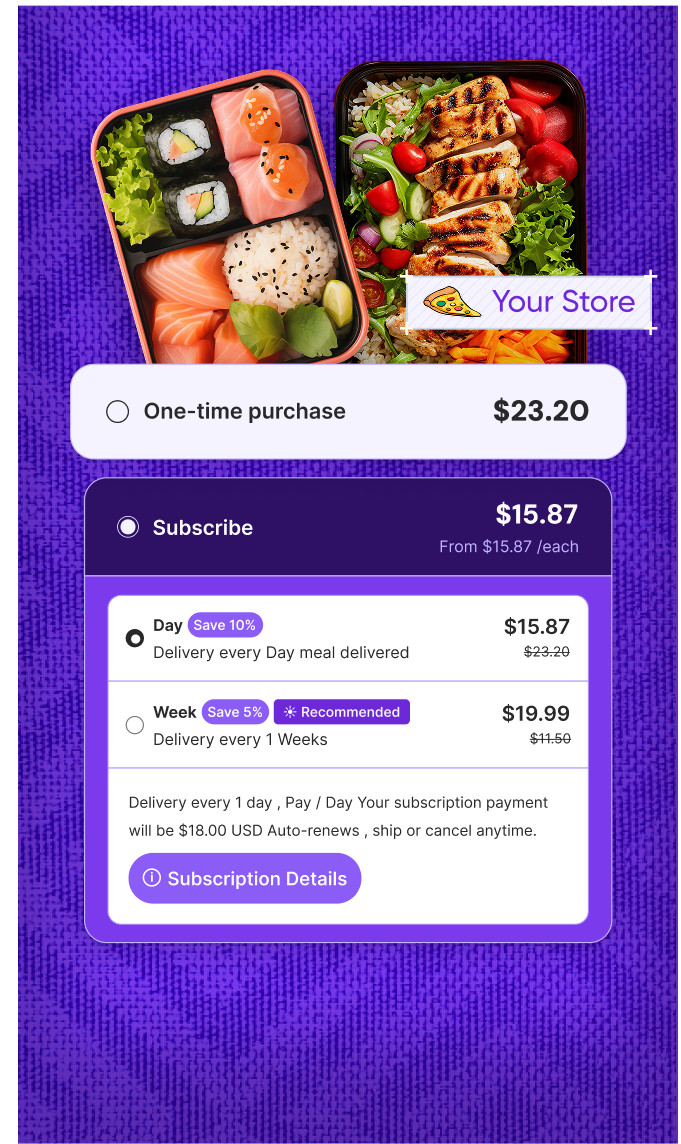
Step 3: Customize the Subscription Widget
Head to Theme Settings → Product Template and position the subscription widget on your product page. Adjust colours, labels and the default selection (one-time vs subscribe) to match your store’s design. A clean, prominent widget is one of the highest-leverage conversion levers, so do not bury it below the fold. Preview on mobile before saving.
Step 4: Enable the Customer Self-Management Portal
Activate the customer self-management portal from the app settings. This gives subscribers a dedicated dashboard where they can pause, skip, swap products, update payment details or cancel without contacting support. Stores without one tend to field more support requests and give subscribers fewer ways to adjust instead of cancelling, so treat it as essential if you want to scale.
Step 5: Configure Recurring Payments and Dunning
Confirm that your payment gateway supports recurring billing and that it is enabled. Then, in Easy Subscriptions, configure your payment retry schedule under dunning management. Failed payments are a major and often overlooked source of churn, because the customer never chose to leave. Automated retries with email notifications can recover a meaningful share of that revenue. A common starting point is at least three retry attempts across a 7 to 10 day window.
Step 6: Test Your Setup End-to-End
Place a test order using Shopify’s test mode or a test payment gateway. Verify that the subscription plan applies correctly at checkout, that the confirmation email fires and that the subscriber can access their portal. Check the renewal flow too, and simulate a billing cycle if the app supports it. Catching edge cases before launch costs nothing, and catching them after costs customers.
Step 7: Promote Your Shopify Subscription Service
Update product pages to lead with the subscription option and the subscriber discount. Email your existing customer list, because people who have already bought are the easiest first subscribers. Add a subscribe and save callout to your homepage hero or a dedicated landing page. Paid social works well here too, especially retargeting campaigns aimed at repeat purchasers.
For merchants sourcing subscription products from China, partnering with a reliable fulfillment platform like USAdrop can help ensure consistent product quality and on-time delivery for every recurring order.
Step 8: Monitor and Optimize
Track MRR, active subscribers, churn rate and payment recovery rate weekly. Use the analytics dashboard to identify which products have the highest cancellation rates and why, then adjust billing intervals, discounts or product selection based on what the data shows. A monthly subscription setup that is not actively optimised will plateau, and the merchants who grow are the ones who treat subscriptions as a product, not a feature.
| Metric | What it tells you | Simple formula |
| MRR | Predictable monthly recurring revenue | Sum of all monthly subscription revenue |
| Active subscribers | Size of your subscriber base | Count of active subscriptions |
| Churn rate | Share of subscribers lost in a period | Subscribers lost ÷ subscribers at start × 100 |
| Payment recovery rate | How much failed-payment revenue you win back | Recovered payments ÷ failed payments × 100 |
A subscription analytics dashboard shows these in one place.
Recommended Starting Settings
If you are unsure where to start, begin with these and refine them with data.
| Setting | Suggested starting point | Why |
| Billing intervals | Monthly plus one longer option | Keeps choice simple while matching usage |
| Subscriber discount | Around 10%, adjusted to your margin | Visible value without eroding profit |
| Default selection | Test one-time vs subscribe | Small changes here can shift sign-ups |
| Flexibility | Pause, skip and swap enabled | Gives customers an alternative to cancelling |
| Payment retries | At least three, over 7 to 10 days | Recovers failed payments |
| Launch scope | One to three products | Easier to test and fix |
Common Mistakes to Avoid
Most subscription launches do not fail because of technical issues. They fail because of these avoidable mistakes.
- Choosing the wrong products: launching subscriptions on low-frequency or one-time-purchase items is the fastest way to generate cancellations. Start with your highest-reorder-rate products.
- No pause or skip option: customers who cannot pause tend to cancel instead. A pause option is one of the easiest churn-reduction levers you have, so do not ship without it.
- Skipping dunning: failed payments are silent killers. Without automated retries and notifications, you leave recoverable revenue on the table every billing cycle.
- No customer portal: subscribers who cannot self-serve their account flood your support inbox and may churn faster. Pair the portal with retention management tools, such as cancellation flows and win-back offers, to catch at-risk subscribers before they leave.
Set It Up Before BFCM
Black Friday is November 27 and Cyber Monday is November 30. If you plan to launch subscriptions for the sale, finish the setup and the end-to-end test at least a week beforehand, and promote the subscribe option to your existing customers first. See our BFCM checklist for subscription stores and the BFCM playbook.