


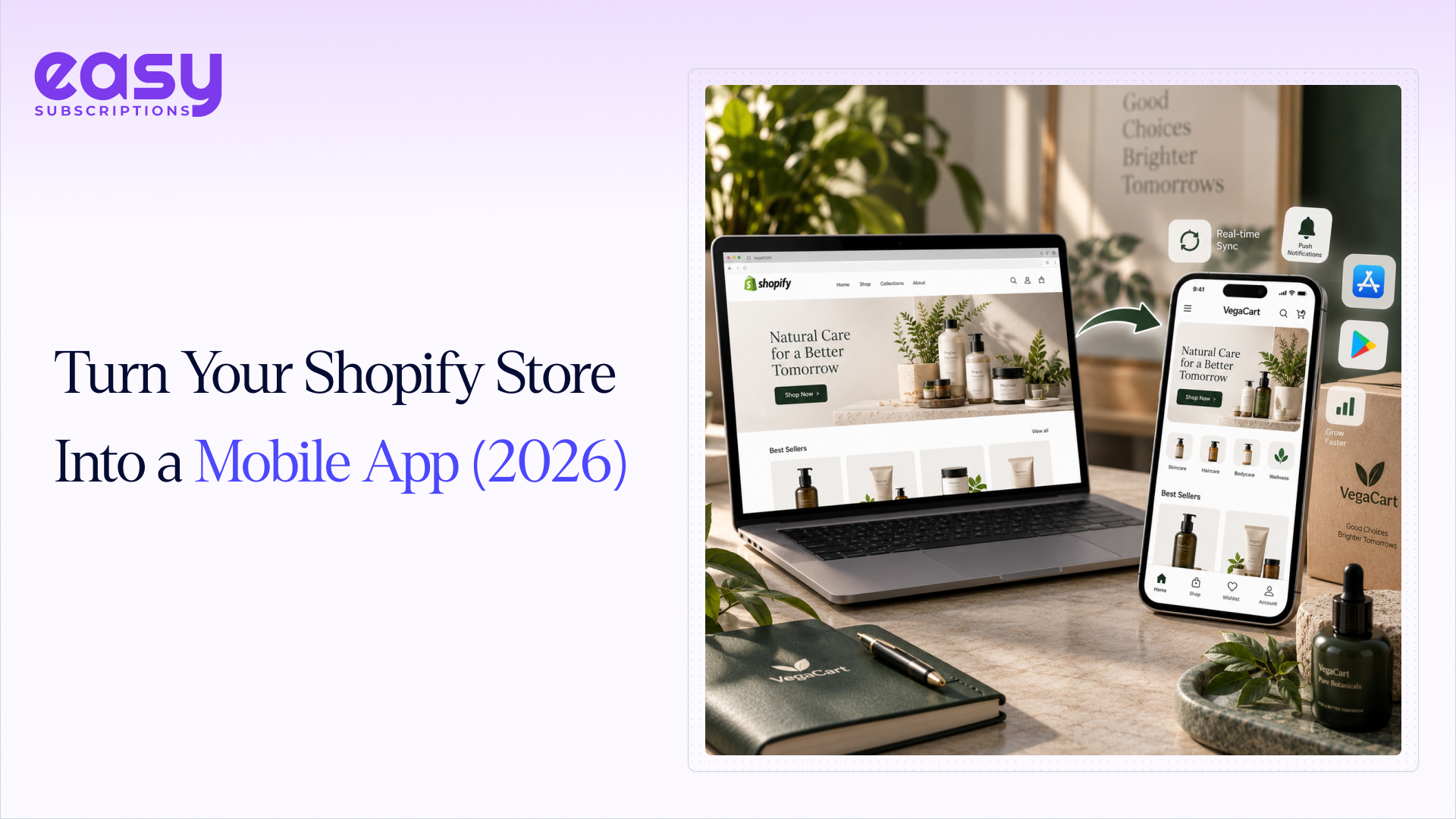


Most Shopify merchants already know their customers are shopping from a phone. What fewer merchants realize is how much revenue they are leaving behind because that phone experience is a mobile website, not a mobile app.
The numbers back this up. Mobile devices now generate roughly three-quarters of all ecommerce traffic, yet mobile web conversion rates sit at less than half of desktop. Native shopping apps close that gap almost completely. Depending on which benchmark you look at, apps convert anywhere from 2x to 3x higher than mobile websites, and shoppers spend far more time inside them.
That gap is exactly why so many Shopify brands are looking into how to convert Shopify stores to mobile app, and why “shopify to mobile app” has become one of the most searched phrases among growing DTC brands this year.
This guide covers everything you actually need to make that decision: the real methods available, honest costs, a step-by-step process, the mistakes that sink most launches, and answers to the questions merchants ask most before they commit.
Why Convert Your Shopify Store to a Mobile App

Before getting into the how, it’s worth being clear on the why. A mobile app isn’t a nice-to-have anymore. For a lot of stores, it’s becoming the single highest-leverage channel they can add.
Mobile Gets the Highest Traffic: Around 75-77% of ecommerce site traffic now comes from mobile devices, and during peak shopping periods that number climbs close to 80%.
But that traffic doesn’t translate into sales at the same rate. Desktop still converts roughly 1.5x to 2x higher than mobile web, mainly because of small screens, slow load times, and clunky checkout flows.
Apps Convert Better Than Mobile Web: Once a customer installs your app, pages load instantly because assets are cached locally, login and payment details are saved, and checkout can happen in one tap with Apple Pay or Google Pay.
That’s a large part of why native apps convert roughly 2x to 3x higher than mobile websites, with some brands reporting even bigger jumps among repeat customers.
Apps Remove Mobile Friction: A mobile website has to be searched for or clicked on from an ad every single time. An app sits on the home screen and can be reached with push notifications, so it naturally drives more repeat visits and higher lifetime value than a browser tab a customer will forget about within a day.
Apps Drive More Repeat Purchases: Every click from a paid ad costs more this year than last year.
Own Your Customer Channel: Push notifications, in-app messaging, and a direct line to your customer that doesn’t disappear when ad costs rise.
None of this means every Shopify store needs an app on day one. But if you have a returning customer base, a catalog people browse more than once, or an ad spend that keeps climbing, this is usually the point where an app starts paying for itself.
Can You Turn a Shopify Store Into a Mobile App Without Coding?

A Big Yes, and this surprises a lot of merchants who assume they’d need to hire an app development team. Shopify itself doesn’t ship a native mobile app builder, but there are three practical paths that don’t require you to write a single line of code:
- A dedicated Shopify mobile app builder that connects to your store and generates a real native iOS and Android app
- A tool that essentially packages your existing mobile website inside an app shell
- Hiring a no-code agency or freelancer to configure one of the above for you
- Collaboration tools for no-code teams simplify feedback, task coordination, and app configuration.
The one thing to watch for with any no-code route is the difference between a genuinely native app and a “web wrapper.”
A wrapper just loads your mobile site inside an app frame. It looks like an app in the App Store, but it behaves like a website: same load times, limited access to phone features, and a real risk of Apple rejecting it during review because it doesn’t function like a proper native app.
A true native build renders using actual device components, which is why it feels fast and integrates properly with things like biometric login, offline caching, and push notifications.
When you’re comparing options, ask directly whether the output is native or a wrapper. It’s the single biggest factor in whether your app actually performs, and whether it gets approved without a fight.
4 Ways to Convert Shopify Store to Mobile App
There isn’t one single way to do this. Depending on your budget, timeline, and how custom you want the end result to be, you’re choosing between four fairly different paths.
| Method | Typical Cost | Timeline | Coding Needed | Best Fit |
| Shopify mobile app builder | $50-$1,000/month, sometimes plus a setup fee | 1-4 weeks | None | Most Shopify and Shopify Plus brands |
| Progressive Web App (PWA) | Low, mostly dev time | Days to weeks | Some | Stores testing the waters before a full app |
| Custom development (freelancer/agency) | $50,000-$200,000+ | 3-6 months | Yes | Brands with unique, complex app requirements |
| In-house engineering team | $100,000+ to build, $10,000-$15,000+/month to maintain | 6-12 months | Yes | Enterprise retailers with a dedicated app team |
Let’s go through each one properly.
1. Shopify Mobile App Builders (Recommend)
A Shopify mobile app builder is a third-party app you install from the Shopify App Store. It connects to your store through the Shopify API, pulls in your products, collections, customers, and orders, and turns them into a mobile app using either a drag-and-drop editor or a guided setup process handled by the provider’s team.
There are two flavors of these tools, and the difference matters:
- Template-based builders give you a dashboard where you build your own app layout from pre-set blocks. You have full control, but you’re also doing all the ongoing work of managing the app yourself.
- Website-to-app builders take your existing (and ideally already-optimized) mobile website and turn it directly into an app, keeping your UI and adding native touches like push notifications, splash screens, and app navigation on top.
Either way, your catalog, inventory, pricing, and customer data sync automatically, so you’re not manually duplicating work between your website and your app.
Pros: Fast to launch, no developers required, low upfront cost, ongoing maintenance is usually handled for you, built-in push notifications and analytics.
Cons: Some customization ceilings compared to fully custom development, and quality varies a lot between providers, so vetting matters here.
2. Progressive Web Apps (PWAs)
A PWA is an enhanced version of your mobile website. It can be added to a phone’s home screen, works partially offline, and can send limited push notifications, all without going through an app store.
It’s the cheapest option on this list and the quickest to set up if you already have a solid mobile site. But a PWA is not the same as a real app.
It has no App Store or Play Store presence, weaker access to device features, and generally lower engagement than a true native or hybrid app.
Think of a PWA as a stepping stone rather than the destination. Some brands use one to test mobile app demand before investing further, then move to a full mobile app builder once they see it’s working.
3. Hiring a Freelancer or Agency for Custom Development
This route means paying developers to build native iOS and Android apps from scratch, connected to your store through Shopify’s API. You get complete design freedom, and there’s no ceiling on functionality.
The tradeoff is cost and time. A serious agency build typically starts around $50,000 and can run well past $150,000 depending on features and integrations, with a build timeline of three to six months before you even get to app store review. After launch, you’ll still need ongoing developer time for updates, OS compatibility, and bug fixes, which most merchants underestimate going in.
This path makes sense for brands with genuinely unique app requirements a builder can’t support, like heavy AR features, complex loyalty mechanics, or a completely different UX from the website. For most Shopify stores, it’s overkill.
4. Building and Maintaining an In-House App Team
The most expensive and slowest option is hiring your own mobile engineers, designers, and a project manager to own the app long-term. This is realistically only relevant for large enterprise retailers who already have engineering resources and need an app tightly woven into a broader tech stack.
Budget six figures to build, five figures a month to maintain, and six to twelve months before launch. For 99% of Shopify merchants reading this guide, this isn’t the practical answer.
Step-by-Step: How to Convert Your Shopify Store Into a Mobile App
Assuming you go the app builder route (the path most Shopify brands take, and the one covered in this section), here’s what the process actually looks like from start to finish.

Step 1: Get Your Shopify Store in Shape First
Before you install anything, clean up your store. Check that your product titles, images, and collections are organized properly, because whatever mess exists on your website will carry straight into your app. This is also a good time to make sure your mobile site itself is fast and easy to navigate, since many app builders will reuse elements of that experience.
Step 2: Choose the Right Shopify Mobile App Builder
This is the decision that shapes everything downstream, so don’t rush it.
Let’s take one of the leading Shopify mobile app builders, Vegacart, and use it to demonstrate how to convert a Shopify store into a mobile app.
- Real native output, not a basic web wrapper
- Live, two-way sync with your Shopify catalog, inventory, and customer data
- Built-in push notifications with proper audience segmentation, since this is the feature that drives most of the ROI
- Integrations with the tools you already use, like Klaviyo, loyalty apps, reviews, or subscriptions app
- Transparent, predictable pricing with no surprise success fees on your app sales
- A track record of App Store approvals, since Apple has become stricter about rejecting low-effort wrapper apps
If you run Shopify Plus with custom checkout scripts, B2B pricing, or multiple markets, confirm upfront that the builder can preserve that logic rather than flattening it into something generic.
Step 3: Install Vegacart & It Automatically Sync Your Store’s Data

Install the Shopify mobile app builder from the Shopify App Store and authorize access. This is what lets the builder pull your products, collections, prices, and customer accounts into the app automatically.
Depending on your catalog size, the initial sync usually takes anywhere from a few minutes to a couple of hours, and after that, any change you make on your website reflects in the app without extra work.
Step 4: Customize the Design and Branding

Don’t just drop in a logo and call it done. Give the builder your actual brand assets: exact hex codes for your colors, your fonts, how you want your homepage laid out, and which collections or promotions should be front and center.
The more specific your brief, the fewer revision rounds you’ll need later. If your provider assigns you a designer, treat that conversation the same way you’d treat any serious design handoff for your website.
Step 5: Set Up Core Features and Notifications

Decide what needs to exist on day one versus what can wait for a second release. At minimum, most stores want:
- Push notifications for cart recovery, back-in-stock alerts, and order updates
- Secure checkout with saved payment methods
- Customer login and order history
- Product search and filtering
- Wishlist functionality
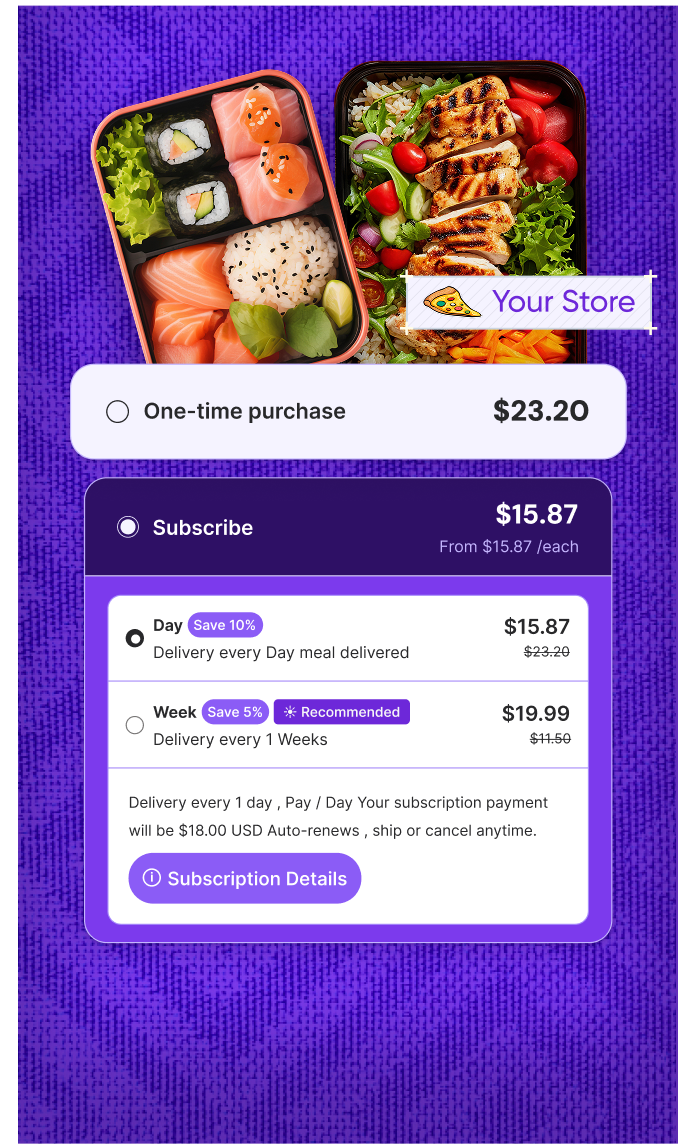
- Subscription and recurring order support, if your catalog includes consumables or repeat-purchase products, an app like Easy Subscriptions connects to Shopify to carry your existing subscription plans, bundles, and billing straight into the mobile app, so subscribers aren’t stuck managing their recurring orders on a separate screen
Resist the urge to enable every possible feature right away. A focused app that does the essentials well will outperform a bloated one that tries to do everything at once.
Step 6: Test Everything Before You Launch
Once you have a working build, download it onto real devices and actually use it the way a customer would. Walk through a full purchase from browsing to checkout on both iOS and Android. Test push notifications, check how the app handles an out-of-stock item or an expired discount code, and confirm any third-party integrations are pulling data correctly.
When you give feedback, be specific. A note like “the homepage looks off” wastes a revision cycle. A screen recording with a clear explanation of what should change gets fixed faster.
Step 7: Publish to the App Store and Google Play

You’ll need developer accounts on both platforms if you don’t already have them. Apple charges $99 a year, and Google charges a one-time $25 fee. Both platforms review every submission before it goes live, which typically takes anywhere from a couple of days to about a week. App builders like Vegacart provide developer accounts to publish the app.
Vegcart app builder will handle the actual submission for you: store listing copy, screenshots, privacy policy requirements, and any follow-up requests from the review teams.You can contact support for help throughout the app-building and submission process, making the entire process smoother.
If you’re submitting it yourself, read each platform’s current guidelines closely, because most rejections come from small, avoidable mistakes rather than anything structural.
Step 8: Drive Your First Downloads
Getting approved is not the finish line. The first few weeks after launch matter a lot for building download momentum, which in turn affects how your app ranks inside the app stores themselves.
Start with people who already know your brand:
- Email your existing customer list with a real reason to download, like an app-exclusive discount or early access to a sale
- Add a smart app banner to your mobile website so visitors see the option to download while they’re already browsing
- If you sell in physical retail, put a QR code at the point of sale
- Promote it across your existing social channels
Once people are in the app, push notifications become your best retention tool. Set up abandoned cart recovery and back-in-stock alerts early, and keep the frequency reasonable. Customers who mute notifications because you overdid it rarely turn them back on.
What Does It Cost to Convert a Shopify Store Into a Mobile App?
Cost is usually the first question, and honestly the answer depends entirely on which of the four paths from earlier you pick.
Shopify mobile app builders are the most predictable option. Most charge a monthly subscription somewhere between $50 and $1,000, depending on features and store size, and some add a one-time setup fee in the $500-$1,500 range to cover initial build and configuration.
All-in, a typical store can be live for around $1,500-$3,000 in the first month, with ongoing costs of a few hundred dollars a month after that.
Custom development through an agency generally starts at $50,000 and climbs from there depending on complexity, plus ongoing maintenance that many merchants underestimate.
A commonly cited maintenance range is at least $10,000 a year, and often much more once you factor in OS updates, bug fixes, and new feature requests.
In-house teams cost the most by far. Between salaries for iOS and Android developers, a designer, and project management, you’re realistically looking at six figures to build and five figures a month to keep running.
Here’s the part most merchants miss: a one-time development project is never actually one-time. Mobile operating systems update constantly, and an app that isn’t maintained will eventually break or get flagged by the app stores.
Whatever route you choose, budget for ongoing upkeep, not just the initial build.
Shopify Mobile App Builder vs Custom Development: Quick Comparison
| Factor | App Builder | Custom Development |
| Upfront cost | Low to moderate | High ($50k+) |
| Time to launch | 1-4 weeks | 3-6+ months |
| Coding required | No | Yes |
| Ongoing maintenance | Usually included | Extra cost, ongoing |
| Design flexibility | Moderate to high | Full |
| App store submission | Usually handled for you | Manual or agency-managed |
| Best suited for | Most Shopify stores | Enterprise or highly unique needs |
For the vast majority of Shopify merchants, especially anyone doing under seven figures in revenue, a builder gets you to the same outcome with far less risk and a fraction of the cost.
Common Mistakes Shopify Merchants Make When Launching a Mobile App
Having looked at how a lot of app launches go, the failures tend to repeat the same handful of patterns.
- Keep your app and website in sync: Avoid managing two separate platforms.
- Start with a clear design brief: Vague inputs can lead to a generic-looking app.
- Don’t overload the launch: Start with essential features and expand based on customer needs.
- Test on real devices: Check performance, notifications, and checkout before launch.
- Promote the app from day one: Drive existing customers to download it and build early momentum.
- Use push notifications carefully: Avoid irrelevant or excessive notifications.
- Don’t choose based on price alone: Compare support, integrations, features, and app quality.
A Simple Launch Checklist
Before you go live, run through this:
- Store catalog, images, and collections are clean and organized
- Mobile website performance is solid (this often carries into the app)
- App builder confirmed to produce a native (not wrapper) app
- Brand guidelines, colors, and fonts handed over in detail
- Core features configured: push notifications, checkout, login, search
- Integrations with your existing tools (email, loyalty, reviews) verified
- Full purchase flow tested on both iOS and Android
- App store listings, screenshots, and privacy policy ready
- Launch promotion plan in place: email, website banner, social
- Push notification flows set up for abandoned cart and back-in-stock
Final Thoughts
Turning a Shopify store into a mobile app used to mean a six-figure budget and a wait measured in months. That’s no longer the reality for most merchants. A well-chosen Shopify mobile app builder can get you a fully native, fully synced app live on both app stores in a matter of weeks, with your existing catalog, checkout, and customer data carried over automatically.
The decision that actually matters isn’t whether to convert your Shopify store to a mobile app. It’s which method fits your budget, your timeline, and how much control you want over the finished product. Match that decision to your stage of growth, and a mobile app can become one of the most reliable, highest-ROI channels your store has.






 Subscription Audit