

What Is a Subscription Upgrade?
A subscription upgrade (also called an upgrade subscription plan) is when a subscriber moves from their current plan to a higher-priced tier: getting more products, higher quantities, premium features, or faster delivery in exchange.
It’s different from a new sale. The customer is already subscribed. They already trust your brand. The upgrade is simply the next logical step in their journey with you.
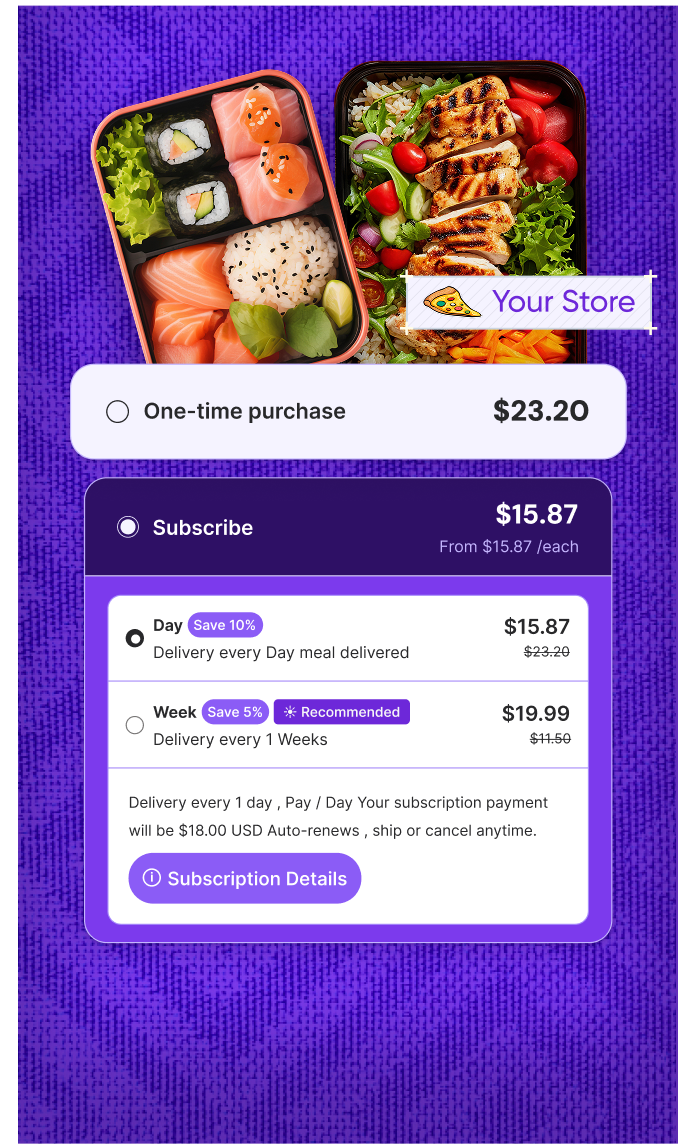
On Shopify, subscription upgrades can happen in the customer portal, via email, or through targeted in-app prompts.
Why Subscription Upgrades Matter for Revenue Growth
Most DTC brands obsess over new subscriber acquisition. That’s expensive. A subscription upgrade costs you almost nothing by comparison.
Here’s why upgrades are so valuable:
- Higher MRR without new customers. Moving 10% of your subscriber base to a higher plan can meaningfully increase monthly recurring revenue.
- Better LTV. Subscribers on premium plans churn less: they’re more invested in the product.
- Lower CAC impact. Every dollar earned from an upgrade doesn’t require ad spend to generate.
- Upsell momentum. A subscriber who upgrades once is far more likely to accept future offers.
Upgrades also signal satisfaction. Customers who pay more tend to perceive greater value, making them less likely to cancel.
How to Encourage Subscription Upgrades
1. Show the value gap clearly
Don’t just list plan features side by side. Show what the subscriber is missing on their current plan. “You’re on the Starter plan: Premium subscribers get 2x the product and free shipping.” Make the gap tangible.
2. Time your offer strategically
The best moments to prompt an upgrade:
- After a successful delivery (satisfaction is high)
- At renewal (they’re already thinking about their subscription)
- After a positive customer support interaction
- When they’ve been subscribed for 60–90 days (loyalty is established)
3. Use the customer portal
Let subscribers self-upgrade in one click from their customer portal. Friction kills conversions. If upgrading requires contacting support, most people won’t bother.
4. Offer a trial of the higher tier
“Try our Premium plan free for one month” removes risk. Once subscribers experience the higher tier, downgrading feels like a loss.
5. Personalize the offer
Use purchase history and frequency data to identify who’s most likely to upgrade. A customer ordering at maximum quantity every cycle is a natural candidate for the next tier up.
6. Keep the ask simple
One clear CTA. One benefit headline. One upgrade option. Don’t overwhelm subscribers with a full pricing table: just show them the next logical step.
Subscription Upgrade vs Upsell: What’s the Difference?
These terms often get used interchangeably, but they’re not the same.
| Subscription Upgrade | Upsell | |
| What changes | The subscriber’s plan tier | The product or order value |
| When it happens | During the subscription lifecycle | At checkout or renewal |
| Revenue impact | Increases recurring MRR | Often increases one-time AOV |
| Customer action | Moves to a higher plan | Adds more to a single order |
A subscription upgrade is a type of upsell: but it’s recurring. That’s what makes it so powerful for subscription revenue.
Common Mistakes
- Pushing upgrades too early. Asking a brand-new subscriber to upgrade before they’ve experienced value is a fast way to lose them. Wait at least 30–60 days.
- Making it hard to upgrade. If the path to upgrading isn’t self-serve and obvious, most subscribers won’t take it.
- No clear value difference between tiers. If subscribers can’t immediately see why the higher plan is worth it, they won’t move.
- Ignoring post-upgrade experience. The upgrade is step one. If the higher tier doesn’t deliver noticeably better value, expect a downgrade or cancellation.
- Treating all subscribers the same. A subscriber who orders the maximum quantity every month needs a different message than someone who skips deliveries regularly.
Pro Tips
- A/B test your upgrade prompts. Test timing, copy, and placement. A single email sent at day 60 vs. day 30 can produce very different results.
- Use behavioral triggers. If a subscriber has maxed out their current plan’s quantity limit three months in a row, that’s your signal to offer an upgrade automatically.
- Celebrate the upgrade. Send a “welcome to Premium” email. Make subscribers feel they’ve made the right choice, increasing satisfaction and reducing the risk of regret.
- Track upgrade rate as a KPI. It’s a direct indicator of how well your plan structure and messaging are working. Aim to review it monthly alongside your customer lifetime value metrics.
Start Driving Upgrades with Easy Subscriptions
Easy Subscriptions makes it simple to set up tiered subscription plans, configure self-serve upgrade flows in the customer portal, and trigger upgrade prompts at the right moment in the subscriber lifecycle: all without touching code.