AI-powered, Human-reviewed.





Switching subscription apps sounds like the kind of project that gets postponed indefinitely; the risk of disrupting active subscribers usually outweighs whatever’s frustrating about the current setup. That calculation only holds if migration is actually risky. When it isn’t, staying on a subscription app that’s costing you checkout conversions or charging fees that eat into margin stops making sense.
The gap between “this is annoying” and “this is worth fixing” usually comes down to one question: does the current app’s shortcoming show up where the merchant can see it (in a monthly bill, an app rating) or where the customer experiences it directly (at checkout, in a confusing billing notification)? The second category is easy to underweight, since it doesn’t show up as a line-item cost but a subscriber who abandons checkout over a clunky widget, or who cancels out of confusion rather than dissatisfaction with the product, is lost revenue exactly the same as an unfavorable monthly fee.
Why Migrate to Easy Subscriptions?
Three reasons come up most often from merchants who make the switch:
A better checkout experience. A clunky or slow subscription widget at checkout is a direct conversion loss every extra click or confusing option between “add to cart” and “complete order” costs you customers who were already ready to buy. A cleaner checkout flow recovers that lost conversion without touching pricing or product.
Powerful management tools. Personalized notifications and flexible billing options reduce the two most common reasons subscribers contact support: confusion about an upcoming charge, and no easy way to adjust their plan. Fewer support tickets is a real, if less visible, part of the checkout-experience case; a subscriber who can self-serve a billing change never has to go through checkout again to fix a problem.
A hassle-free migration process. The switch itself doesn’t have to be the barrier; it sounds like see the step-by-step process below.
Is Migration Seamless for Your Customers?
This is usually the first question merchants ask, and it’s the right one. A migration that disrupts active subscribers, a missed charge, a skipped delivery, a customer having to re-enter payment details costs more in trust than any feature improvement is worth. A properly handled migration keeps subscribers on their existing billing schedule throughout, with payment tokens transferred securely rather than requiring customers to re-enter card details. Done right, most subscribers never notice the switch happened at all.
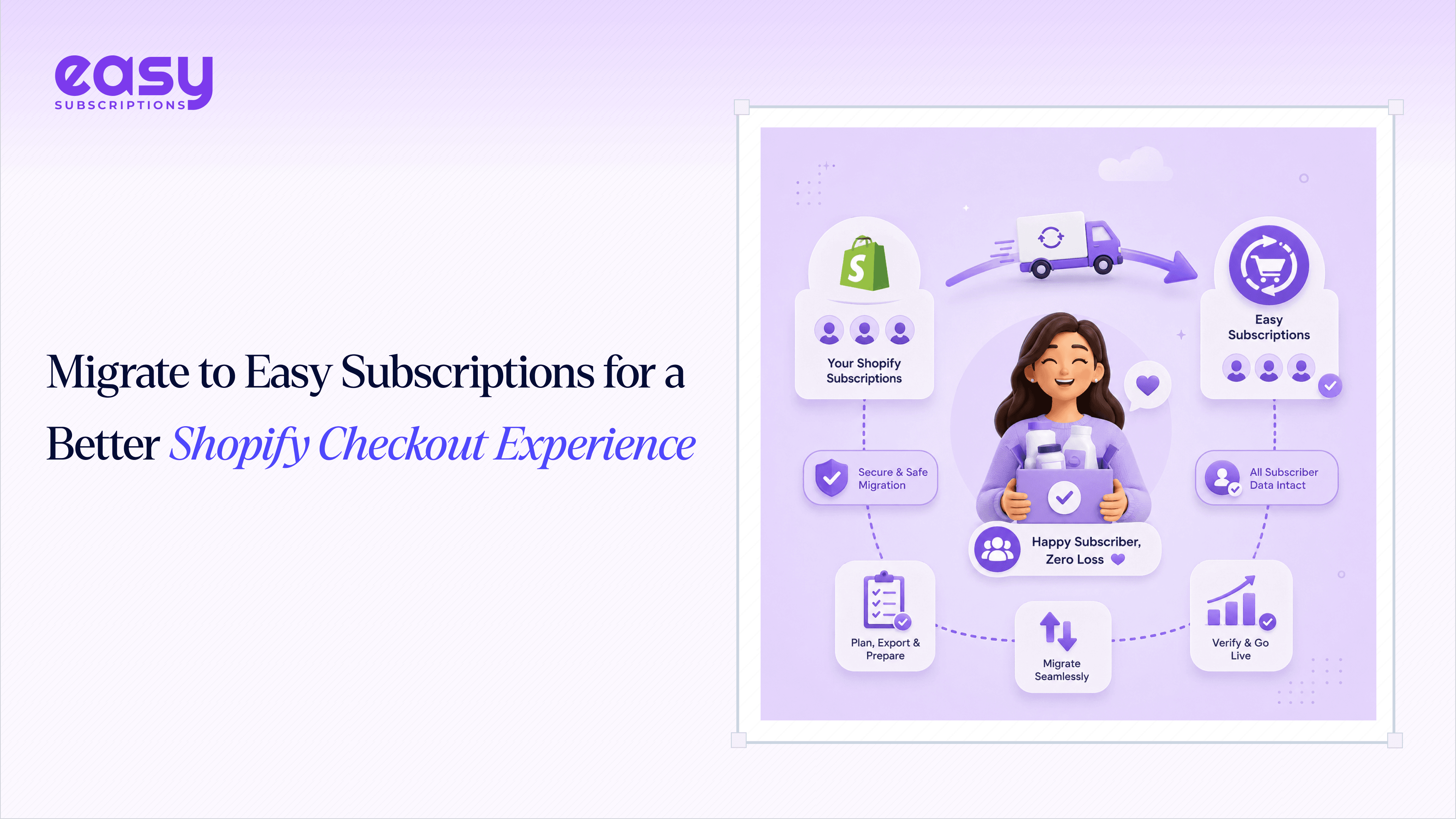
How Migration Works
- Contact the migration team. A no-commitment conversation to review your current setup, subscriber count, and any custom configurations before anything is scheduled.
- Secure data export. Contracts, payment tokens, customer profiles, and discount codes are exported from your current platform.
- Data mapping configuration. Your existing structure billing frequencies, tiers, discount logic is mapped to the equivalent setup on Easy Subscriptions.
- System testing. A full test migration you review and approve before anything goes live, catching mismatches before they reach a real customer.
- Go-live transition. The switch happens at a scheduled time that works for you, with support on standby immediately afterward in case anything needs adjusting.
Common Migration Concerns (and Why They’re Usually Overstated)
| Concern | Why it’s usually manageable |
| “My subscribers will notice and some will cancel” | Payment tokens and billing schedules transfer without requiring customer action most subscribers never notice, provided the receiving platform supports your gateway |
| “I’ll lose my discount codes and grandfathered pricing” | These are part of the data mapping step specifically and are configured to carry over exactly, not regenerated from scratch |
| “It’ll take weeks and disrupt my team’s other work” | The consultation step exists specifically to scope a realistic timeline upfront, rather than discovering mid-migration that it’s bigger than expected |
| “What if something breaks after go-live?” | The test-migration step is designed to catch mismatches before a real customer is affected, and support stays available immediately after go-live for anything that still needs adjusting |
None of these concerns are unreasonable to have exactly the right questions to ask before switching subscription apps. The point of a structured migration process is that each one has a specific step designed to address it, rather than leaving it to chance.
Payment Gateway Compatibility
| Gateway | Supported |
| Shopify Payments | Yes |
| Stripe | Yes |
| PayPal Express | Yes |
| Authorize.net | Yes |
| Braintree | Yes |
Broad gateway support matters more during a migration than it might seem; it’s what allows payment tokens to transfer securely without forcing customers to re-enter card details, which is one of the more common points where a migration goes wrong if the receiving platform doesn’t support the sending platform’s gateway.
Why Easy Subscriptions Fits Your Business
The case for switching isn’t just checkout polish it’s the combination of a better customer-facing experience with the operational tools that reduce support burden and protect revenue: flexible billing that adapts to how your customers actually want to pay, personalized notifications that cut down on “why was I charged” tickets, and a migration process designed to move you over without the operational risk that keeps merchants on an underperforming app longer than they should be.
This combination matters because checkout experience and billing management aren’t actually separate problems; they’re the same problem showing up at different points in the subscriber relationship. A confusing checkout costs you the sign-up; confusing billing costs you the renewal. An app that only fixes one of the two is solving half the leak. That’s the practical reason to evaluate a migration on both dimensions together rather than treating “better checkout” and “better billing tools” as independent features to compare line by line against your current app.
Real Merchant Results
More than 500 Shopify stores have migrated to Easy Subscriptions to date (a company-reported figure treated as directional rather than independently audited). Merchants including LivePure, Relove, and Movara Meals have spoken positively about the switch, consistently highlighting support quality during the transition and the robustness of the feature set once live. (Pull the exact quotes from the live page or your testimonial source before publishing see the sourcing flag at the top of this doc.)
Benefits for Your Customers
A migration done well isn’t just an operational upgrade for the merchant it changes what subscribers experience directly:
- A cleaner checkout with fewer steps between deciding to subscribe and completing the order
- Self-service billing management, so adjusting a plan doesn’t require contacting support
- Personalized notifications ahead of charges, reducing surprise-charge disputes and chargebacks
- No disruption to existing subscriptions during the switch itself orders continue on schedule throughout
Migration Checklist
- Current subscriber count, billing frequencies, and custom configurations documented
- Payment gateway(s) confirmed as supported before committing to a migration date
- Discount codes and grandfathered pricing confirmed to carry over exactly
- Full test migration reviewed and approved before go-live
- Go-live date scheduled with support availability confirmed immediately after
- Post-migration check: confirm at least one full billing cycle processes correctly on the new platform
The reason to migrate is rarely the migration process itself; it’s what’s costing you at checkout or in support tickets every month you stay on the current setup. A properly run migration, with payment tokens transferred and a full test run reviewed before go-live, removes the risk that keeps most merchants from making a switch they’d otherwise benefit from immediately.